
Our Blog
-
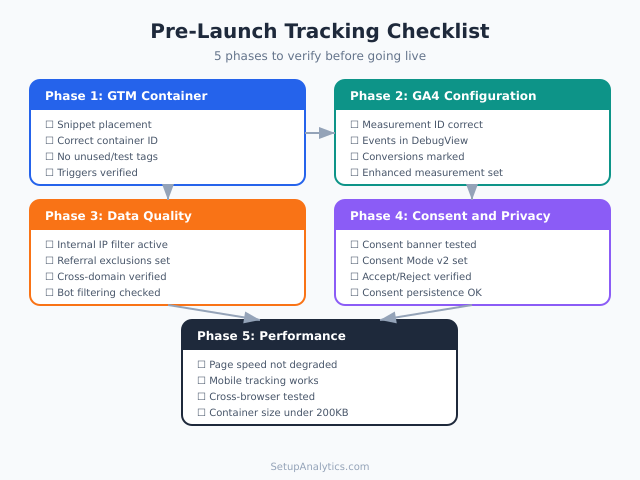
Pre-Launch Tracking Checklist: Don’t Go Live Without Checking These
Launching a website without verifying your analytics setup is like opening a store and forgetting to turn on the cash register. Everything looks fine until you check the numbers — and realize you’ve been collecting garbage data, missing conversions, or tracking nothing at all. A proper pre-launch tracking checklist prevents these blind spots before they
-
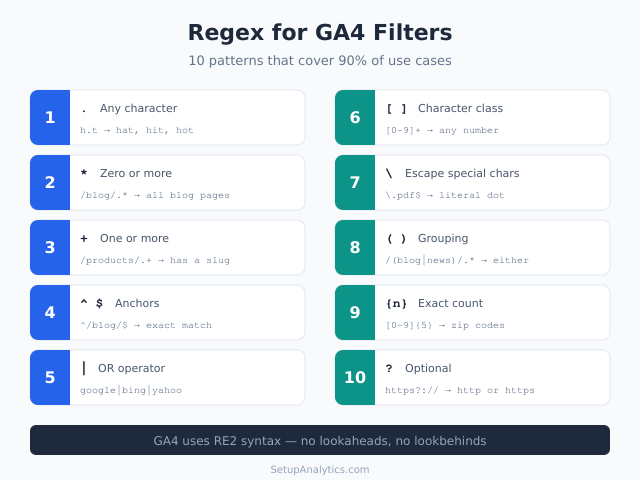
Regex for Marketers: A Practical Guide to Pattern Matching in GA4
Regular expressions look intimidating. A string like ^/blog/.*(?!amp)$ reads like random noise to most marketers. But regex in GA4 is one of the most practical skills you can learn — it turns a five-minute filter setup into a five-second one, and it unlocks data views that are simply impossible without pattern matching. You don’t need
-
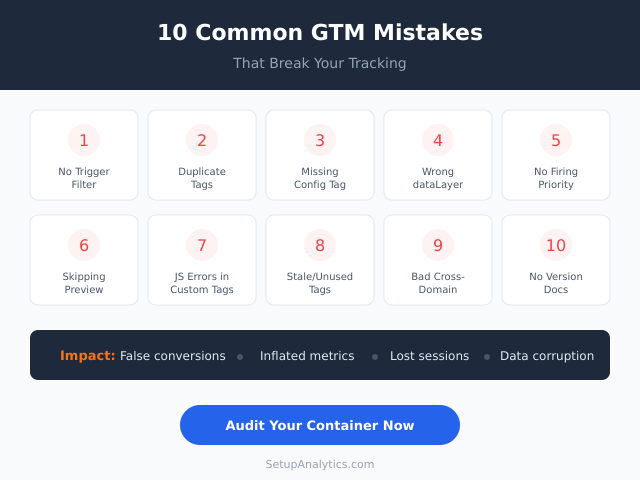
10 Common GTM Mistakes That Break Your Tracking
A messy Google Tag Manager container doesn’t announce itself with flashing warnings. It breaks quietly — duplicate events inflate your reports, missing triggers create invisible data gaps, and misconfigured variables silently corrupt the information you rely on for decisions. The worst part? Most GTM mistakes look perfectly fine at first glance. After auditing hundreds of
-
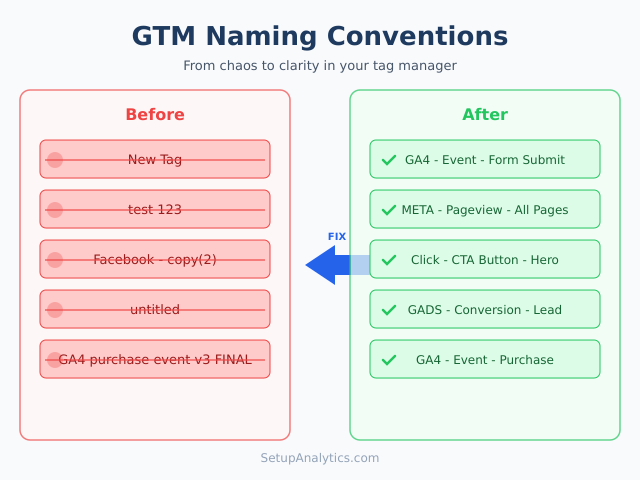
GTM Naming Conventions: Why They Matter and How to Set Them Up
If you have ever opened a Google Tag Manager container and found tags named “New Tag,” “test 123,” or “Facebook – copy (2),” you already know the problem. Messy naming conventions turn a powerful tool into a source of confusion, wasted time, and costly errors. In this guide, you will learn exactly how to build
-
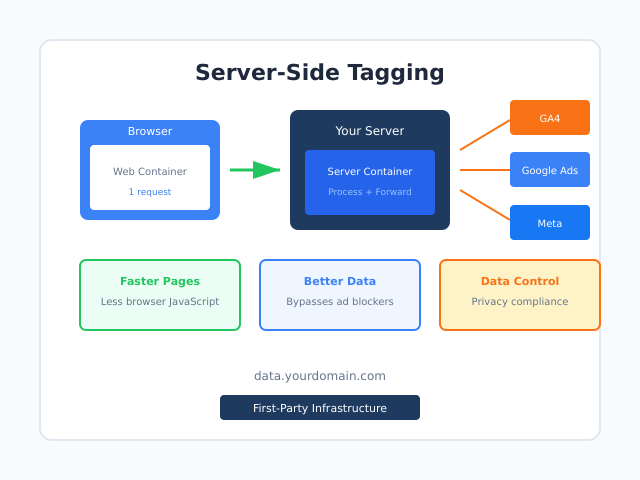
Server-Side Tagging: What It Is, Why It Matters, and How to Get Started
Every tag you add to your website runs in the visitor’s browser. More tags mean more JavaScript, slower pages, and data vulnerable to ad blockers. That was acceptable when browsers were permissive and users didn’t block trackers. Today, it’s a liability. Server-side tagging changes this equation. Instead of firing tags in the browser, you send
-
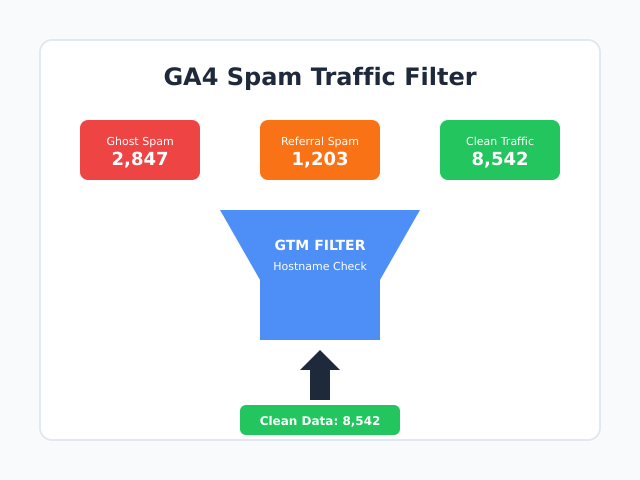
GA4 Spam Traffic: How to Detect, Filter, and Block Bot Noise
Open your GA4 reports and something looks off. Sessions spiked overnight, but conversions stayed flat. Engagement time dropped to zero for hundreds of visits. You’re looking at spam traffic — and in GA4, it’s harder to filter than it ever was in Universal Analytics. The problem isn’t just annoying numbers. Spam traffic corrupts your data,
-
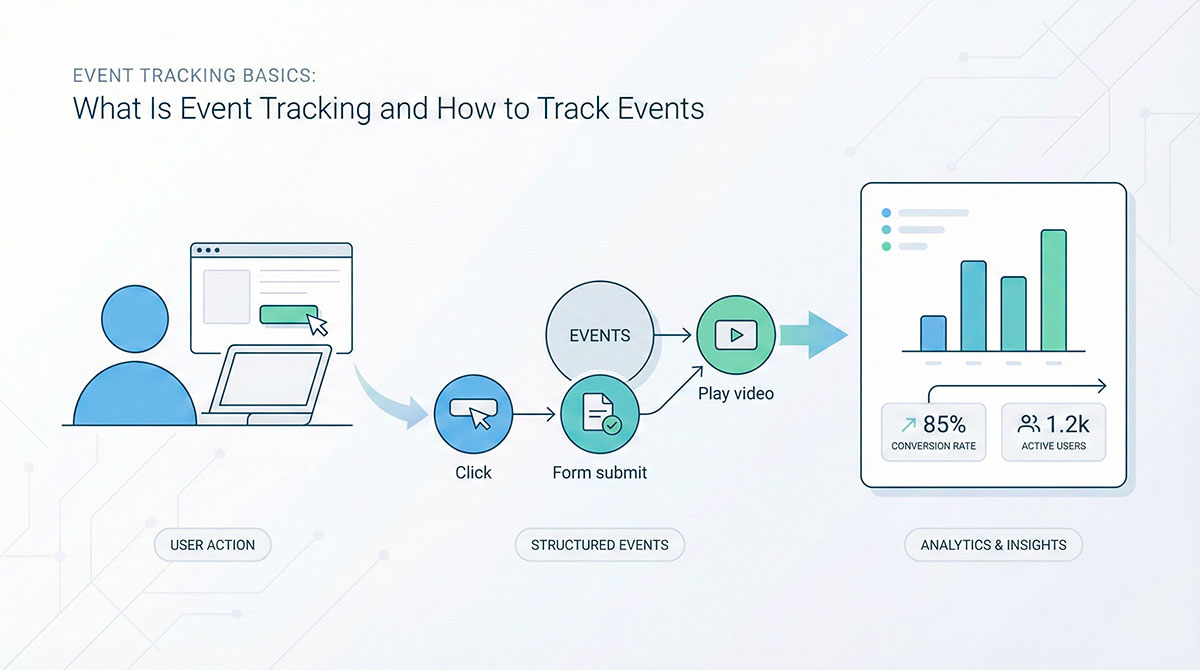
Event Tracking Basics: What Is Event Tracking and How to Track Events
Open any analytics dashboard and you’ll probably see the same classics: visitors, sessions, pageviews. Nice graphs, big numbers… but they don’t tell you what people actually did on your site. Did they read anything, play a video, try your product, almost convert, or just bounce? In modern analytics, an event is simply a user action
-
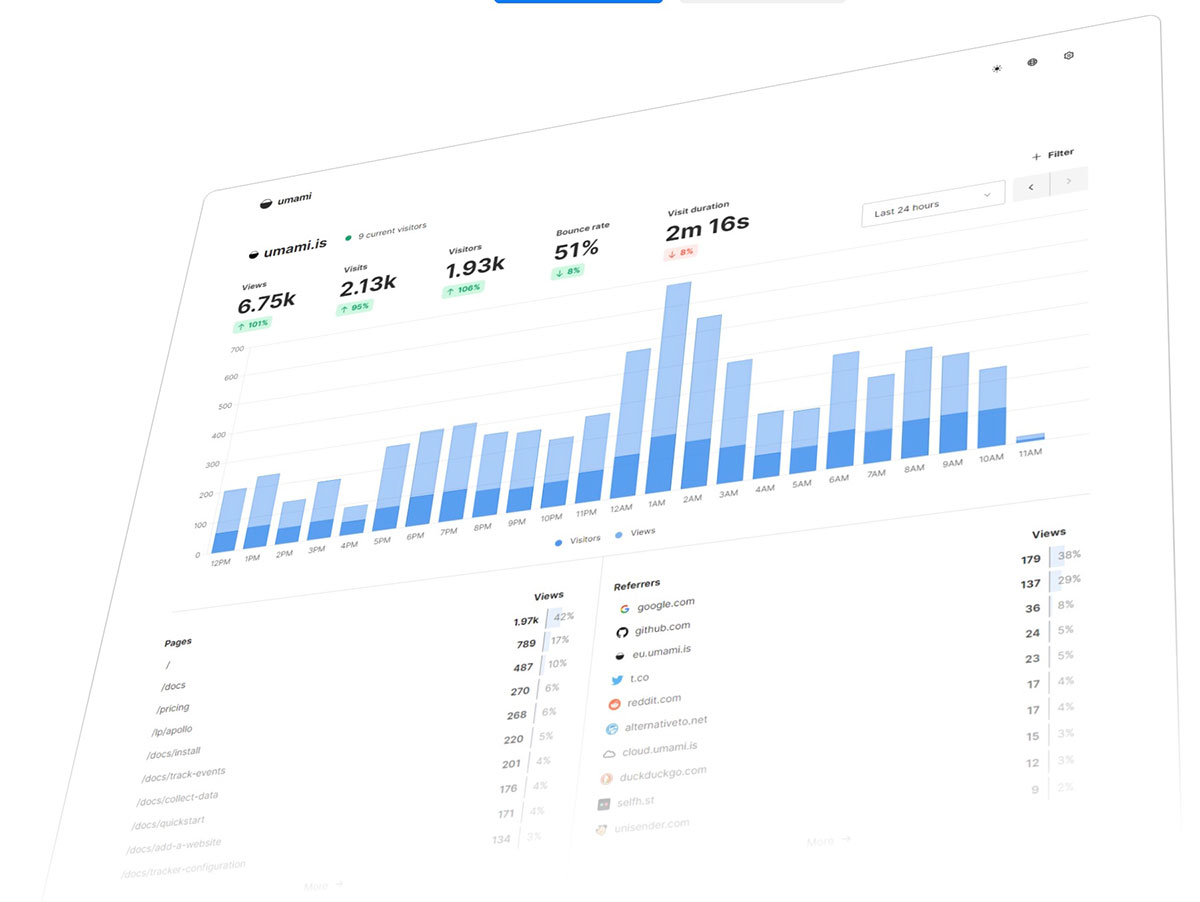
Umami Analytics: Privacy-First Open-Source Analytics You Can Self-Host
Introduction: Why Umami Analytics Stands Out Privacy-focused analytics platforms have become a necessity, not a luxury. Google Analytics feels bloated, intrusive, and increasingly risky from a compliance perspective. Website owners want simplicity, speed, and control—and Umami delivers exactly that. Built by three brothers who were frustrated with existing analytics tools, Umami combines open-source transparency with a user-friendly
-

How to Track Organic Keywords in GA4
When you open Google Analytics 4 hoping to see which search terms drive traffic to your website, you hit a wall. Instead of actual keywords, you see “(not provided)” or “(not set)” in your reports. Frustrating, right? Here’s the reality: Google stopped sharing organic keyword data with Analytics back in 2013 for “privacy reasons.” But
-
How to Add the GA4 Tracking Code to Your Website: An Easy Guide
New to Google Analytics 4? This step-by-step tutorial shows two simple ways to add Google Analytics to website pages: (A) paste the GA4 tracking code manually, or (B) connect through popular platforms (WordPress, Shopify, Wix, Squarespace). I’ll also show you exactly where to add Google Analytics code, what to screenshot, and how to confirm data